
Why Financial Management Tools Matter
Small business owners wear too many hats. There’s barely enough time in the day, and mistakes cost money. Financial management tools help tighten up the ship. They cut down on human error no more spreadsheet snafus or forgotten receipts and free up more hours to focus on running the business, not just tracking it.
When your books are clean, you’re not scrambling during tax season or guessing at cash flow. You make better decisions faster. That clarity is invaluable when margins are thin and every dollar counts.
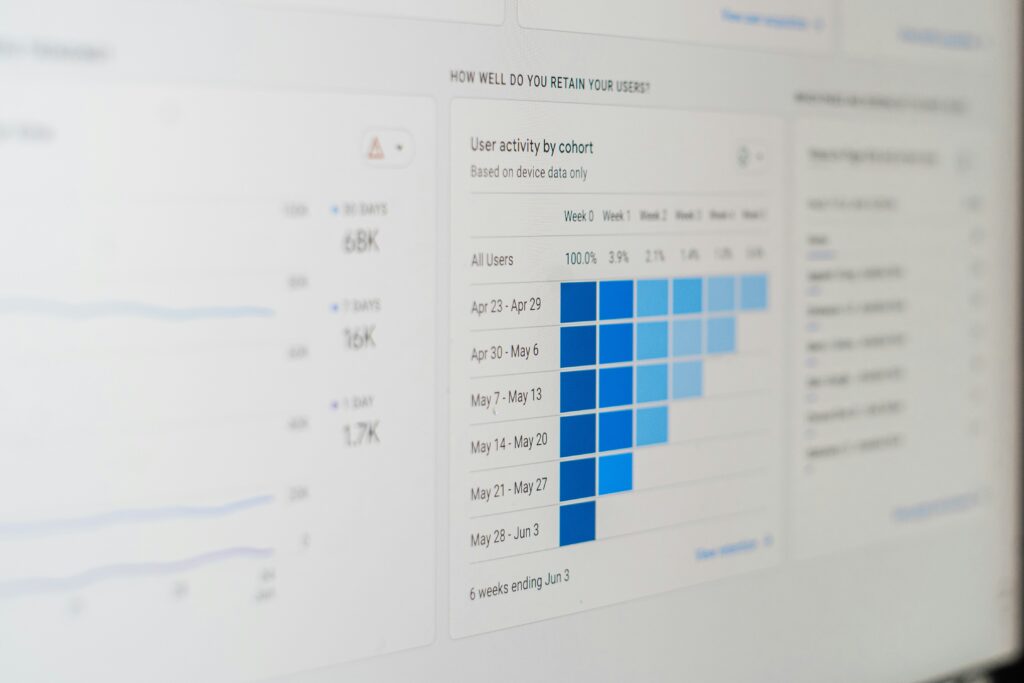
Better yet, the right tools give real time insights daily snapshots of what’s working and what’s leaking. You know what to tweak, where to double down, and when it’s time to pivot. That kind of visibility used to be a luxury. Now it’s essential.
Budgeting & Forecasting Software
When you’re running a small business, guessing isn’t a strategy. That’s where solid budgeting and forecasting tools come in. These platforms help you map out your money where it’s gone, where it’s going, and what happens if things change fast. Think of them as your weather radar for cash flow.
The best tools do more than just show numbers. Look for features like scenario modeling (What if we hire another person? What if we lose a client?) and rolling forecasts that update based on your inputs. Real time cash flow projections can flag trouble before it hits and help you stay lean without running blind.
Good news: you don’t need a finance degree or even a background in spreadsheets to get value. Tools like Float, PlanGuru, and LivePlan are popular with non accountants and still pack serious functionality. They’re built for business owners, not finance pros. Simple interfaces, smart visuals, and integrations with platforms like QuickBooks or Xero make onboarding quick and relatively painless.
This is the planning gear you want in your back pocket when the market throws a curveball or when growth suddenly hits faster than expected.
Invoicing & Payment Platforms
Getting paid shouldn’t be a full time job. With the right invoicing and payment platforms, small businesses can streamline the process, reduce follow ups, and boost cash flow consistency.
Why It Matters
Late payments can disrupt your entire financial plan. These platforms give you the tools to:
Automate recurring invoices
Send payment reminders without manual follow ups
Track billable hours or projects directly into your invoices
Features That Smooth the Process
Look for built in tools that eliminate friction for both you and your customers:
One click payment links included in invoices
Mobile friendly interfaces so clients can pay on the go
For business owners who work remotely or travel often, tools like Holafly eSIM help ensure uninterrupted internet access, making it easier to send invoices, track payments, and manage finances in real time—no matter where work happens.
Auto reconciliation with banking data
Multi currency and tax compliance options for global reach
Integration is Key
A great payment platform is even better when it works well with the rest of your financial stack. Strong integrations help you:
Sync invoice data directly into your accounting software (e.g., QuickBooks, Xero)
See outstanding payments in your cash flow dashboard
Link with CRM tools to associate billing with client accounts
Platforms to Explore
Some popular, small business friendly tools include:
FreshBooks Known for intuitive invoicing and strong automation features
Wave A free solution with solid invoicing and payment tools
Square Invoices Great for service based businesses needing fast mobile payments
Zoho Invoice Scalable and integrates tightly with the Zoho ecosystem
Choosing the right invoicing tool means fewer headaches, faster payments, and more time to focus on growth not manual paperwork.
Expense Tracking & Receipts Management

Keeping tabs on every dollar spent can be tedious, but the right tools make it simple and accurate.
Mobile First, Built for Speed
Today’s best expense tools understand that business happens everywhere. Whether you’re at a supplier meeting, on the road, or between tasks, mobile first apps let you log and categorize transactions in real time.
Snap receipts instantly and upload within seconds
Use AI categorization to label expenses automatically
Sync data across devices for easy recordkeeping
Track Everything: Mileage, Meals, and More
Not all business expenses are obvious until tax season hits. With the right tool, you can stay audit ready all year long:
Mileage tracking: Capture accurate distance and segment business vs. personal use
Meals & entertainment: Separate client meals from team lunches with pre set tags
Miscellaneous purchases: Don’t lose track of low dollar items that add up fast
Syncing with Financial Institutions
The real magic happens when your expense tools connect seamlessly with your other systems. Bank feeds and credit card syncs are now essential, not optional.
Direct synchronization helps eliminate manual entry errors
Automatic updates keep your financial data current
Look for tools that reconcile transactions and alert for duplicates
Pro tip: Choose platforms that allow export to your accounting software or offer built in integrations with tools like QuickBooks or Xero. Smooth syncing means faster reports and less stress on your accountant.
Payroll & Contractor Payments
If you’re still cutting checks by hand or juggling spreadsheets for payday, it’s time to stop. Manual payroll might work for a team of one or two, but beyond that, you’re wasting hours and risking mistakes. The tipping point usually comes when you’re spending more time fixing payroll issues than growing your business. Missed tax deadlines? Misclassified contractors? One slip can mean fines or unhappy teammates.
Payroll software is no longer just for big companies. Tools like Gusto, QuickBooks Payroll, and Remote offer scalable solutions that automate the heavy lifting calculating withholdings, handling direct deposits, and managing tax filings without the late night math. Many platforms also support international contractors, which is a big plus for remote teams.
Paying freelancers or 1099 contractors used to mean last minute scrambles during tax season. Not anymore. Most modern platforms track payments year round and auto generate end of year forms, sending them to the IRS and your contractors on time. No drama, no piles of paperwork.
Bottom line: smart payroll tools save you time, reduce headaches, and grow with your business. Move off manual now, not later.
One Tool to Rule Them All
Juggling five different finance apps is a burnout recipe. One for invoicing, another for tracking expenses, one more for taxes, and that clunky spreadsheet for forecasting. That’s not efficiency that’s digital clutter. The smarter play in 2024 is consolidation. Platforms that unify invoicing, expenses, tax tracking, and financial forecasting aren’t just convenient they’re game changers.
By switching to a main financial platform like Discommercified, businesses shrink their tech stack down to something manageable. Less hopping between tabs, fewer logins, fewer chances to miss something critical. Instead, they get one clean dashboard with real time clarity where money’s coming from, where it’s going, and what’s likely to happen next.
It’s not just theory. A Brooklyn based design studio cut their invoicing time down by 70% after switching to a single platform. A pet supply ecomm brand used the built in forecasting tools to shift from reactive budgeting to proactive planning and tripled their Q3 profits compared to last year. These aren’t unicorns, just smart use cases from owners tired of duct taped systems.
Consolidated platforms offer not just convenience, but control. For small businesses aiming to grow without the chaos, one tool may be all it takes.
Choosing the Right Stack for Your Business
Start by pulling everything into the light. List out all the finance tools your business uses expense trackers, invoicing software, payroll systems, forecasting spreadsheets, even your banking apps. Then ask the hard questions: Which ones do we actually use? What overlaps? Which tools are a pain to update or worse, always out of sync? Strip it back to what carries weight.
Next, zero in on integration. You don’t need fifteen tools that don’t talk to each other. You need five that do. Prioritize platforms with native integrations to your accounting software, bank accounts, and payment systems. The less manual work, the fewer errors. Bonus if your tools offer API access for future growth.
When testing new software, start small and sandbox everything. Use dummy data or duplicate systems so no live finances get thrown out of whack. Most vendors offer free trials use them, stress test them, and don’t fall for flashy dashboards alone. Clarity beats complexity.
A lean, well integrated stack gives you cleaner books, faster insights, and fewer late nights sorting spreadsheets. Know what you have, connect it wisely, and test like a skeptic.
Final Takeaway
The right financial tools don’t just lighten your workload they help you understand your business at a glance. When your invoicing, budgeting, cash flow, and taxes live in one place, it’s easier to make quick, confident decisions. Less guessing. Less stress. More control.
Think of these systems like a scaffolding for growth. You don’t need a complicated stack right out of the gate, but you do need tools that can scale when you do. Whether you’re bootstrapping solo or hiring your first employee, the smoother your financial backend runs, the less likely you are to trip up when things grow fast.
If you’re looking to simplify everything under one roof, check out this main financial platform built specifically with small businesses in mind. It’s built to do more so you can do less without losing visibility.